Skip to content


Marketing Automation for Community Banks

A business owner or CFO fills out the "Contact a Banker" form on your website. If that request sits in a shared inbox, nobody owns the follow-up. Automation closes that gap: the right banker hears about the lead right away, and nobody has to remember to follow up.

Do your best leads reach a banker while they're still interested?

Talk to Our Team

Your Website Collects Leads. Then They Wait.

New business often gets lost if there isn't a clear handoff when it comes in. The banks we talk to describe the same few gaps:

  • Website requests go to one person's inbox, and it isn't clear which banker should follow up.
  • New customers don't get consistent follow-up after they open an account.
  • Bankers can't see when an existing customer shows interest in another product, like visiting the business banking pages or clicking a treasury management email.

Commercial banking depends on relationships, and a commercial loan usually starts with a conversation with a banker. Marketing automation makes sure that conversation happens, and that the customer hears from you in between.

What Should Automation Do for a Community Bank?

The main job is getting the right banker talking to the right person at the right time.

Here are the workflows banks have asked us to build:

  • Route leads to the right banker. A request to talk to a banker about business lending goes to a relationship manager. Treasury or merchant services questions go to your specialist. Personal account questions go to the nearest branch.
  • Remind your team to follow up. If a lead hasn't been followed up, the banker gets a reminder. Leadership can see how many requests came in and what they were about.
  • Onboard new customers. A short welcome series for new accounts, with separate paths for business and personal customers. Existing customers who open another account get a thank-you for their new account.
  • Cross-sell existing relationships. Introduce business owners to personal products, or checking customers to cards, treasury services and other products they don't have yet.
  • Follow up on campaign interest. When someone clicks a merchant services or business checking email, they get a timely follow-up offering to connect with a banker.
  • Prompt banker check-ins. Internal reminders at set points after an account opens, so branch staff call new customers at the right moments.
  • Collect feedback. Short surveys after an account opening or loan closing give leadership real data on service.

We start with the one or two workflows that matter most to your bank and build from there.

Marketing automation workflows for community banks

The Automation Challenge for Community Banks

01

The Data

Automation is only as good as the data behind it. Your customer data lives in your core system, whether that's FIS, Fiserv, Jack Henry, CSI or another platform. Without a reliable connection, workflows can't tell a new customer from an existing one, or a business account from a personal one. Shared household emails and businesses with multiple signers make it harder still. In our work with banks, data is usually the first thing that needs fixing.

02

The Compliance Dimension

Every customer email may need compliance approval. Some data shouldn't leave the core at all. Tracking website behavior can require updates to your privacy notice. Automation for a bank has to be built with your compliance officer involved from the start.

03

The People

Your bankers may not use HubSpot, so alerts need to reach them by email. Your marketing team may be small. Automation has to fit how your bank already works: alerts that arrive where bankers will see them, and workflows your team can understand and adjust.

THE ADVANTAGE YOU ALREADY HAVE

Community banks build business through personal relationships with their bankers. Automation helps make sure that personal follow-up happens consistently.

How We Build Automation That Works

We fix the data first, build the workflows your bank needs most, and make sure your team can run them. Here is what that looks like.

Step 1: Goals and Data Review

We start with what your bank is trying to grow (deposits, commercial relationships, fee income, new accounts) and look at the data you have to work with. We check whether your core data is reaching HubSpot reliably and whether it can tell new customers from existing ones.

Step 2: Journey Mapping

We map each workflow before building it: who enters, what they receive, which banker is notified and when. Business and personal paths are mapped separately, because the conversations are different.

Step 3: Build and Compliance Review

We build the emails, routing rules and internal alerts in HubSpot, then walk your compliance team through them before anything goes live. Nothing sends until your bank approves it.

Step 4: Test and Launch

We run test submissions for each branch and product to confirm the right people get the right messages, then agree with you on whether existing contacts should be enrolled, so past customers don't get unexpected emails.

Step 5: Measure and Train

We build dashboards your leadership can read at a glance, review results with you regularly, and train your team to adjust workflows themselves. The goal is a system your bank can run on its own.

2-Dec-22-2025-01-53-38-1266-PM

Let's Look at Where Your Leads Go Today

Every bank's systems and priorities are different, so the first step is a conversation about where leads come from today, what happens next, and where they fall through.

Talk to Our Team

Why Community Banks Trust Geear With Automation

Financial institution expertise. We've served 120+ financial institutions and are a HubSpot Diamond Partner recognized as a HubSpot Banking Industry Specialist.

We've connected the systems before. We've synced 35+ financial institution platforms to HubSpot, including bank core systems like FIS Horizon.

Built for compliance review. We plan for compliance approval from the start.

SOC 2 Type II. Automation work means access to customer data. Geear is SOC 2 Type II compliant, which is often one of the first things bank IT and compliance teams ask about.

Your team stays in control. We train your marketers to manage and adjust workflows, so your team can make small changes without us.

No contracts. If you're not getting value, you walk away. We earn your business month to month.

We work alongside your agency. Banks often keep their creative or web agency and bring us in for HubSpot and automation.
Free Social

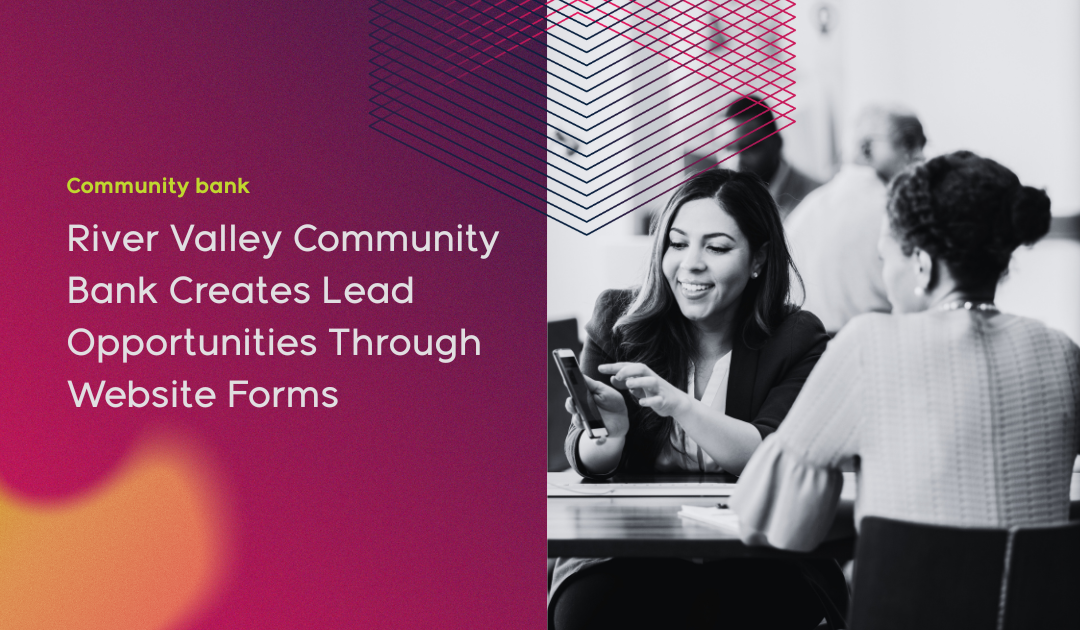
Case Study: River Valley Community Bank

River Valley Community Bank in Yuba City, California, focuses on business banking. Geear connected the bank's FIS Horizon core to HubSpot and built a sitewide "Talk to an Expert" form that routes each request by product and branch. Business account and loan questions go to relationship managers, treasury and merchant services questions go to a specialist, and personal account questions go to branch managers.

By September 2025, less than three months after launch, the form had brought in 38 requests, and the bank had already traced a few sales to them. Onboarding workflows for new business customers followed. In its first three months working with Geear, River Valley rated us 10 out of 10 on our Net Promoter Score survey.

River Valley Community Bank case study

Still got questions?

Frequently Asked Questions

Talk to Our Team
What can marketing automation do for a community bank?
It makes sure leads reach the right banker quickly, new customers hear from you after opening an account, and existing customers learn about products they don't have yet. For commercial-focused banks, routing leads to relationship managers is often the best place to start.
Do our bankers need to use HubSpot?
No. Alerts can go to bankers by email, so they don't need a HubSpot seat. If your bank later wants relationship managers working in HubSpot directly, we can set that up too.
How does automation get our customer data?
Through an integration with your core and other systems. We map which fields your workflows need, and your compliance team decides what can leave the core. Some banks keep sensitive fields, like loan balances, out of HubSpot entirely.
Can automation tell a new customer from an existing customer who opened another account?
Yes, if the data from your core supports it. That's one of the first things we check, so long-time customers don't receive a "welcome to the bank" email.
How do you handle compliance review?
Every customer-facing email and workflow is reviewed and approved by your bank before it goes live. We can provide PDFs or walkthroughs for compliance staff who don't use HubSpot.
Do we need HubSpot Enterprise?
Not always. Many workflows run on Marketing Hub Professional. Enterprise becomes worth it when you need custom objects, like a customer object that ties together a business, its signers and their accounts, or a household that shares one email. We'll tell you which you need before you buy.
We're in the middle of a core conversion. Should we wait?
Not necessarily. Some automation, like lead routing from website forms, doesn't depend on core data and can start now. Workflows that rely on core data can be planned now and switched on once the conversion settles.
Will our team be able to manage this after launch?
Yes. Training is part of the work. We show your team how to read the dashboards, update emails and adjust workflows, so small changes don't require us. Our Community Bank HubSpot Onboarding Guide covers what to expect.

Ready to See Where Your Leads Are Going?

Talk to our team about how leads and new customers move through your bank today, where follow-up breaks down, and which workflows would make the biggest difference first. You'll come away knowing what's possible with the data and systems you already have.

No obligation. No pressure. No contract if you decide to move forward.

Talk to the Team
Untitled (Instagram Post (45))-1

Ready for marketing that actually delivers?

Let's build something measurable together.