If you've chosen to use Skyvia as your ETL platform for HubSpot data integration, the next step is to set up your account! The steps are simple, but there are some nuances to keep in mind. Here's what you need to do.
Sign Up for an Account
-
Navigate to www.skyvia.com and click "Sign Up" on the top right of the website.
-
Create an account either with email and password or another sign-in option.
- Follow the prompts to set up your account, and when asked about your goal
Add your Geear Team to the Account
-
Click the user icon on the top right of the window and select "Invite Users."
-
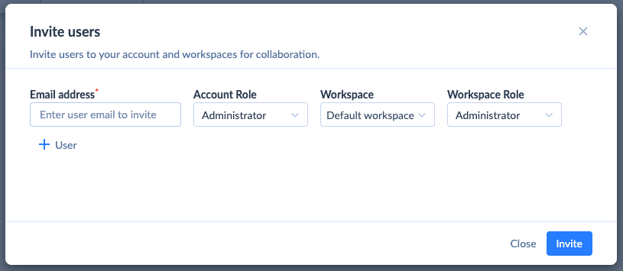
Toward the top right, click "+ User."
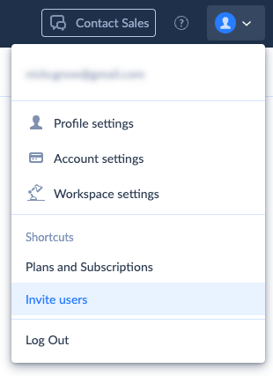
- Add both your Customer Success Manager and HubSpot Strategist as users then select your default workspace. Make sure to select "Administrator" as the Account Role and Workspace Role.
Set Up Your Subscription Plan
When you're ready to begin data integration, you'll need to select a subscription plan.
-
Click the user icon at the top right of the screen and select "Plans and Subscriptions."
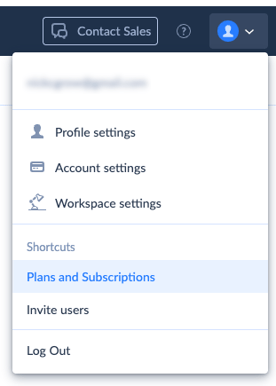
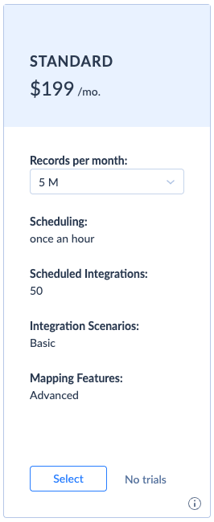
- Under "Data Integration Plans," select the Standard Plan with the number of monthly rows determined by your team. Typically, clients can start with 5M and upgrade as needed.
Connect Your SFTP
The next step is to connect your SFTP where daily extract files will be stored.
-
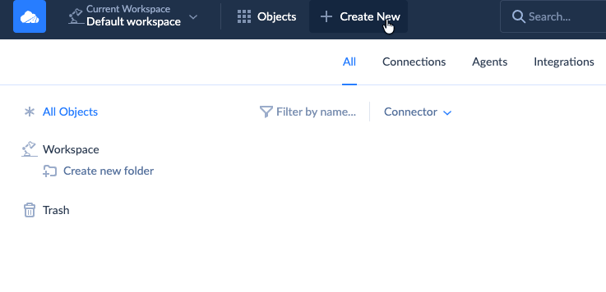
From the main workspace page, click on "Create New" at the top of the screen.
-
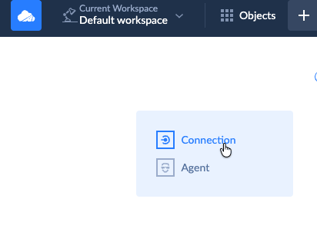
Select "Connection."
-
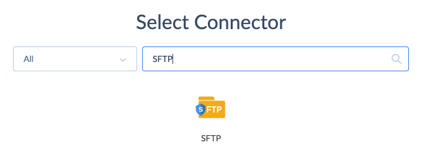
Search for and select the SFTP option.
-
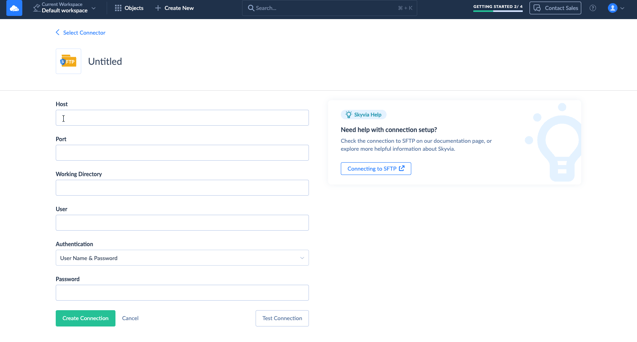
To connect your SFTP server, specify the host, port, working directory, authentication type, and access credentials.
-
Click "Create Connection."
- Ensure your SFTP will allow Skyvia to access the server from the following IPs:
-
- 40.118.246.204
- 13.86.253.112
- 52.190.252.0
Skyvia also has documentation available for more details on connecting your SFTP.
And you're done! Your Geear team will take it from here.

Ready for marketing that actually delivers?
Let's build something measurable together.
 Talk to the Team